![abc logo new .png]](https://knowledge.abcpos.com/hs-fs/hubfs/abc%20logo%20new%20.png?height=40&name=abc%20logo%20new%20.png)
Table of Contents
Campaign List
Set up an email/SMS marketing campaigns to enhance communication with customers
Step 1: Add a New Campaign
Select a template. These templates can be customized in the next steps 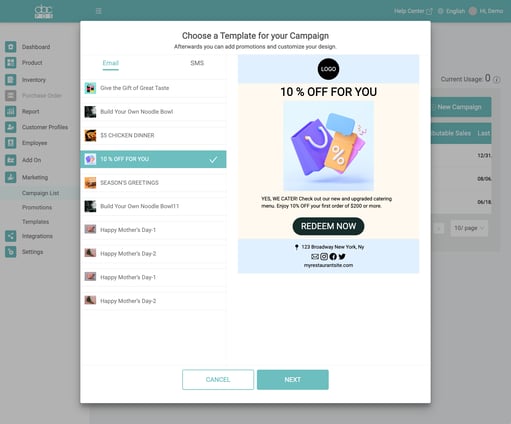
Step 2: Customize Campaign 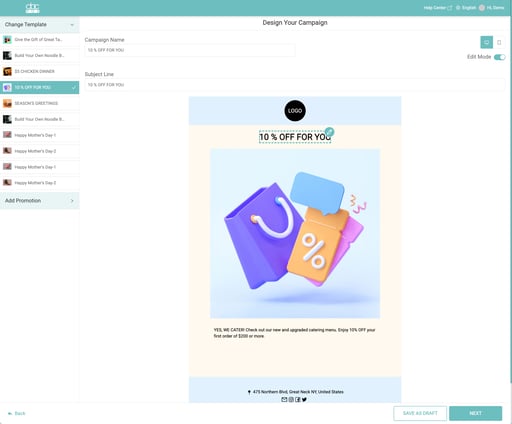
Step 3: Choose Recipient
To create a custom group of recipients, go to Customer Profiles 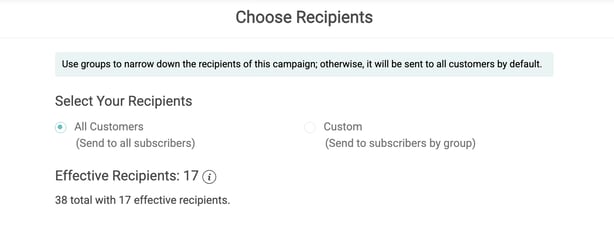
Step 4: Review and Publish
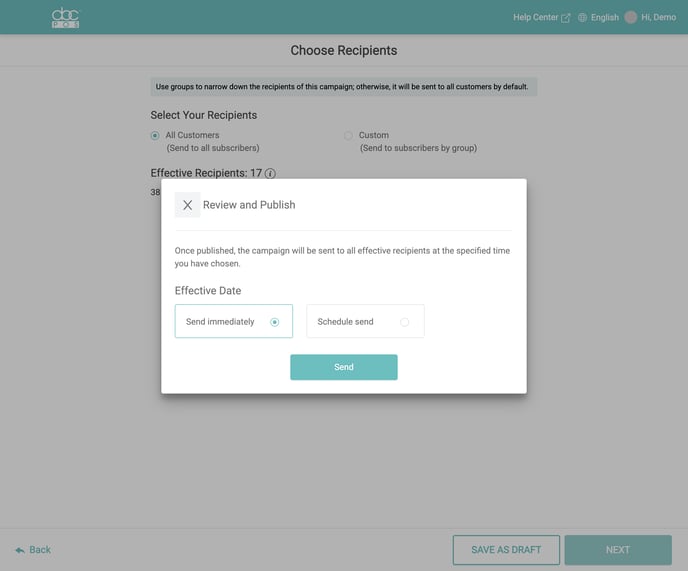
How to increase customer email and text message limits?
Merchants get 1,000 free emails and 100 free texts. To add more, call ABC customer service. Rates: $15 for 10,000 emails or 1,000 texts, with a $15 minimum deposit.
Create a new promotion
Dashboard > Marketing > Promotion
Step 1: Click the "New Promo" button
Step 2: Select Promotion type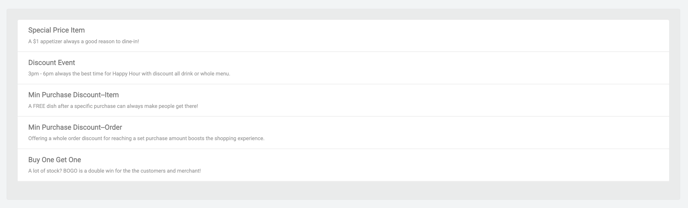
- Special Price Item: Highlight specific items at a discounted price to attract dine-in customers (Ex. $1 Appetizers)
- Discount Event: Offer time-limited discounts (% or value) on drinks or the full menu Modifier prices will not be affected by the promotion.
- Items Min. Purchase Discount: Reward customers with a free item after they meet a minimum purchase amount
- Orders Min. Purchase Discount: Provide a discount on the total order when customers reach a set purchase threshold
- Buy One Get One (BOGO): Offer a free item or discount (% or value) for every one they purchase.
- This promotion can be applied to one item or multiple items. When there are enough items with this promotion added to the order, the POS will find the lowest-priced one and apply the discount to it.
Step 3: Input Promotion Information
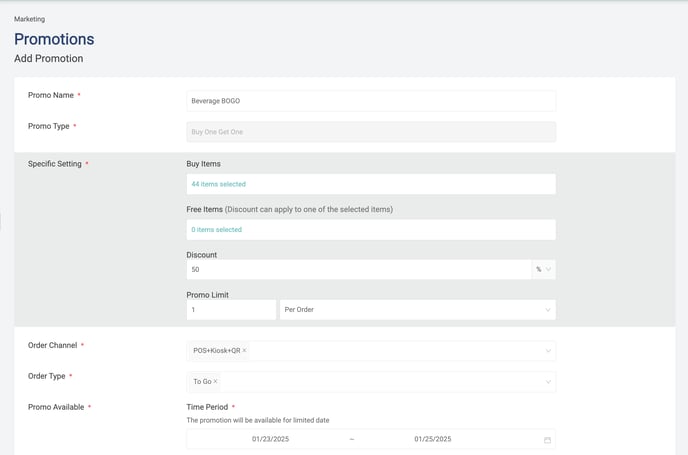
Manage Promotions
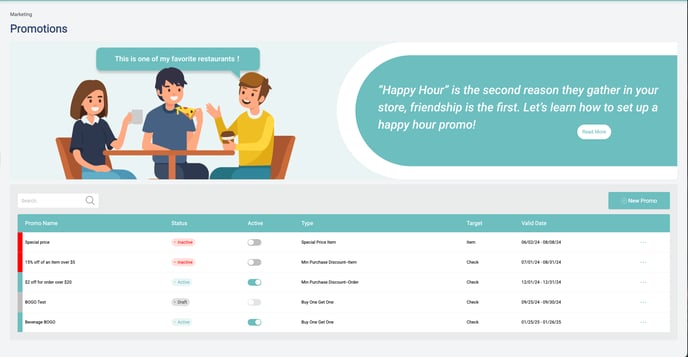
Enable/disable promotion from the promotions homepage by clicking on the toggle. You can also edit individual promotions by selecting the promotion.
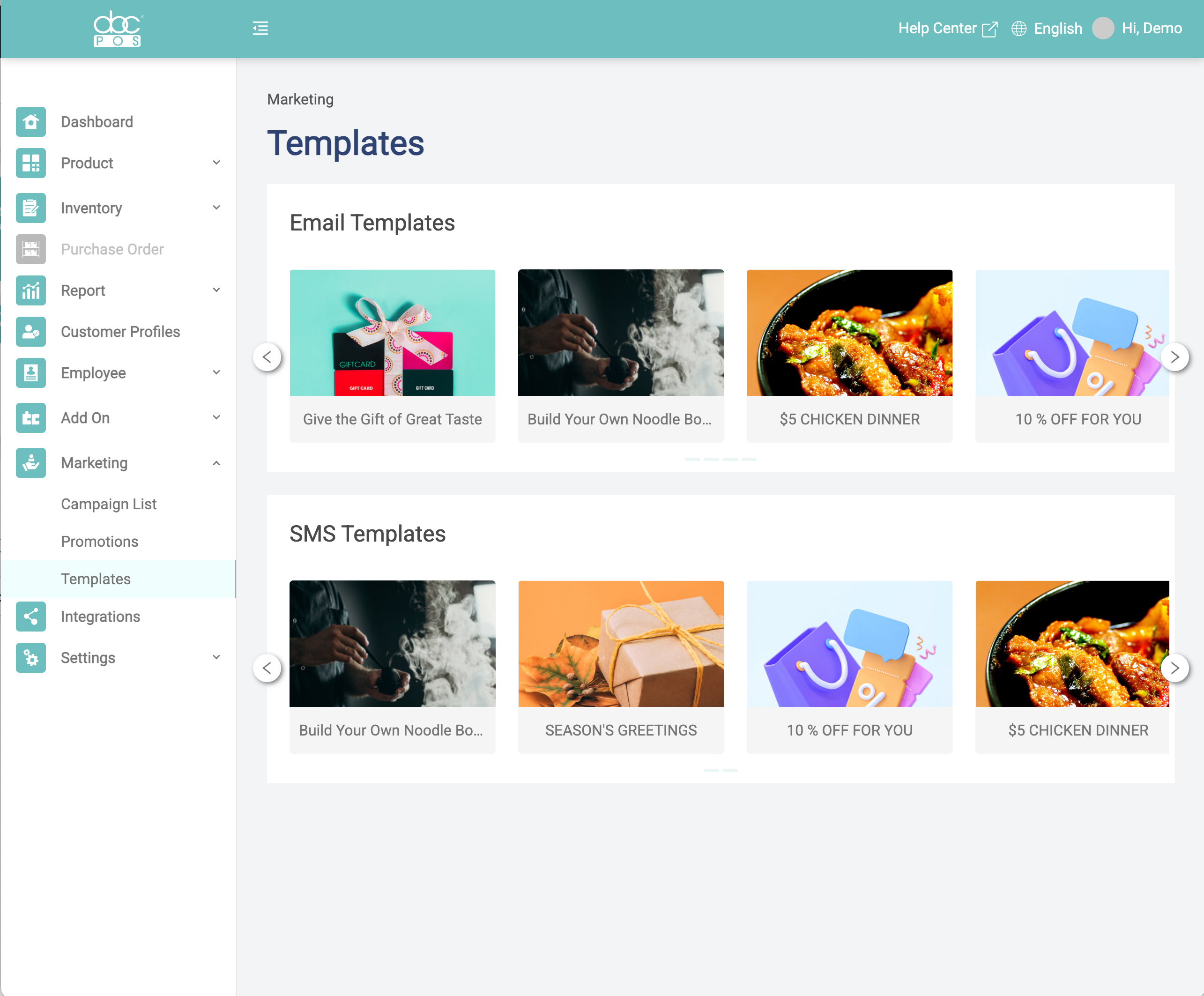
Templates
Use pre-made templates or duplicate a template to customize it to your preference. Once a template is saved, you can access it when you create your email or text campaigns.