![abc logo new .png]](https://knowledge.abcpos.com/hs-fs/hubfs/abc%20logo%20new%20.png?height=40&name=abc%20logo%20new%20.png)
View Closeout Report
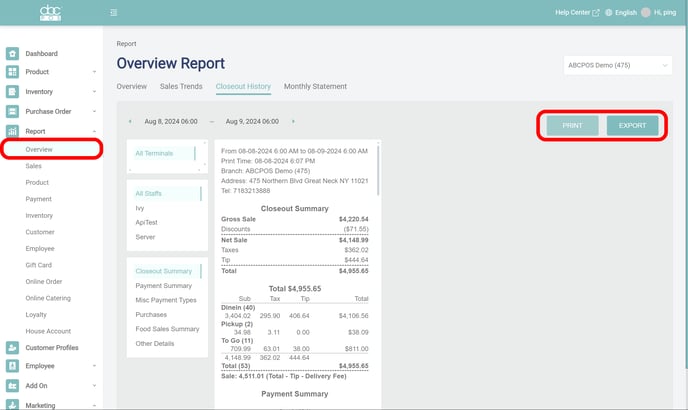
Report > Overview > Closeout History
- Select a branch and a day to view closeout report
- Print or Export the closeout report as needed
Customize Closeout Report
Dashboard > Settings > Receipt
- Navigate to Closeout Report Format
- Enable the desired data to display in the report
- Click Save